Sshop /
Features
From a sentence to a merged pull request
One window from typing a task to shipping it. No terminals to watch, no tabs to juggle: ten agents cost you no more attention than one.
Focus
Built to cut context switching
Ten agents usually means ten terminals to check, and every check is a context switch. Control Room does the checking. Your attention stays on one thread, until another one needs you.
- A thread comes forward only when the next move is yours
- Background tests, builds, scripts and merges never interrupt you
- A status card says where a thread stands, so you are back in it in seconds
- Answer or archive, and the next thread that needs you opens by itself
- Put the last one away and an all-clear screen says nothing needs you
Calls you
An agent asks a questionA tool needs your approvalA turn is finishedAn app is open for you to look atA run failed or is blockedStays quiet
Tests and builds in the backgroundA script you launchedAn agent merging its own pull requestA thread you snoozedEverything still workingStart
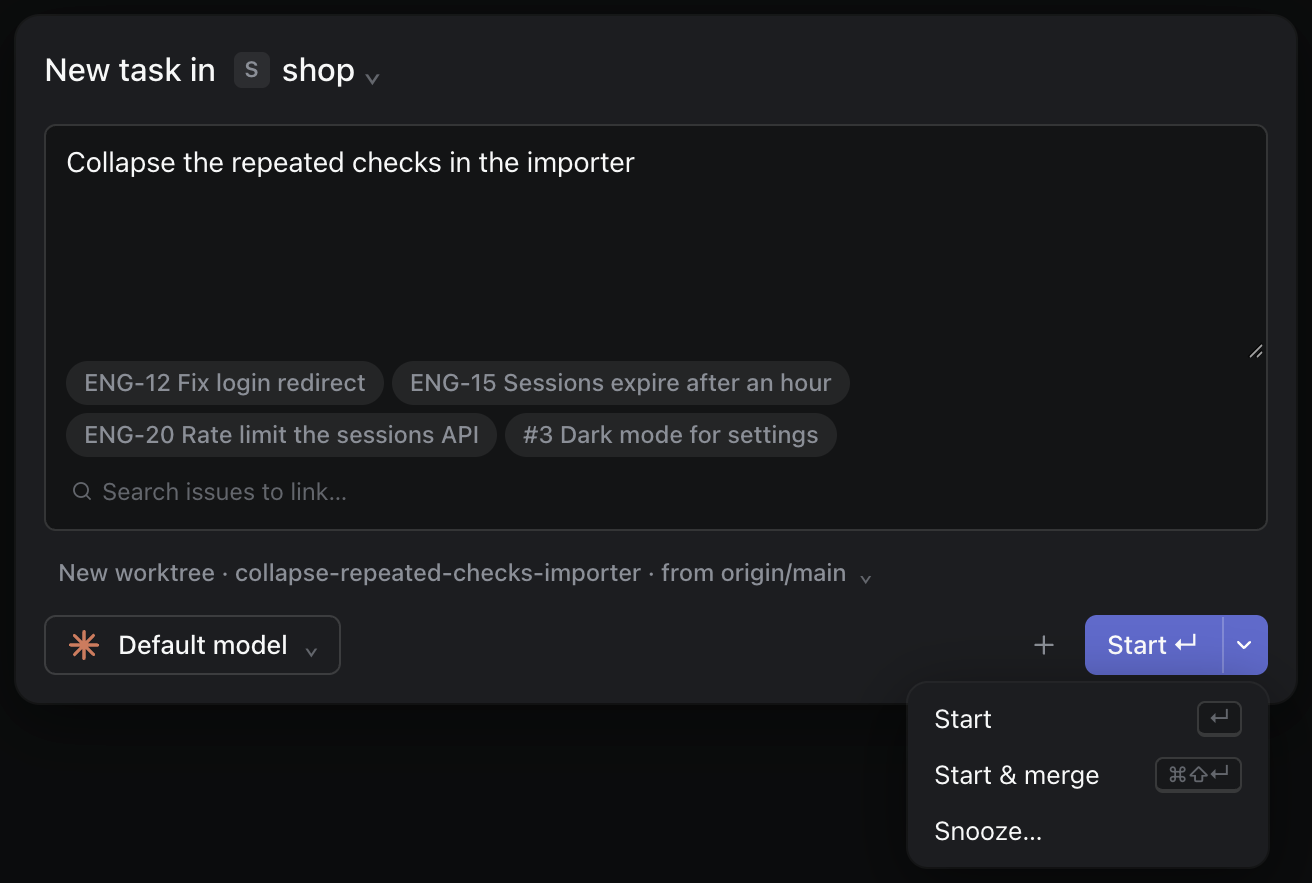
A task, a worktree, an agent. One keystroke.
Type what you want. Control Room creates the git worktree, names the branch after the task and starts the agent in it.
- Start from a sentence, a Linear issue, a GitHub issue or a pull request
- Run it on your Mac, or, in Beta, in the cloud, and hand it to another computer later
- Snooze it into a backlog that starts by itself later
- Start & merge: the agent opens the pull request and merges it, QA included
Sorted for you
One list, sorted by what waits on you
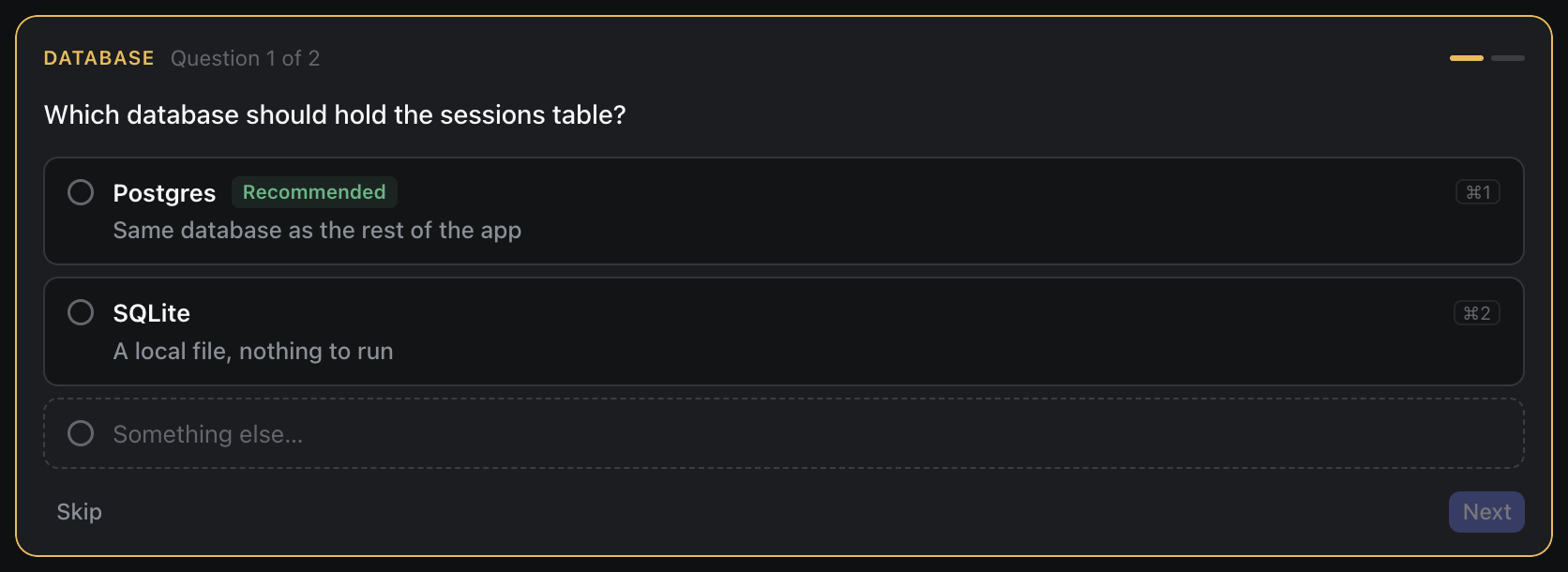
Threads sort themselves into Needs attention, Working, Snoozed, Done and Archived. A question from an agent is a card you answer in a click.
- Group related threads in the sidebar and fold a group when you need room
- Your answer shows the questions the agent marked in its written response when all of them are out of view
- ⌘J jumps to the next thread that needs you
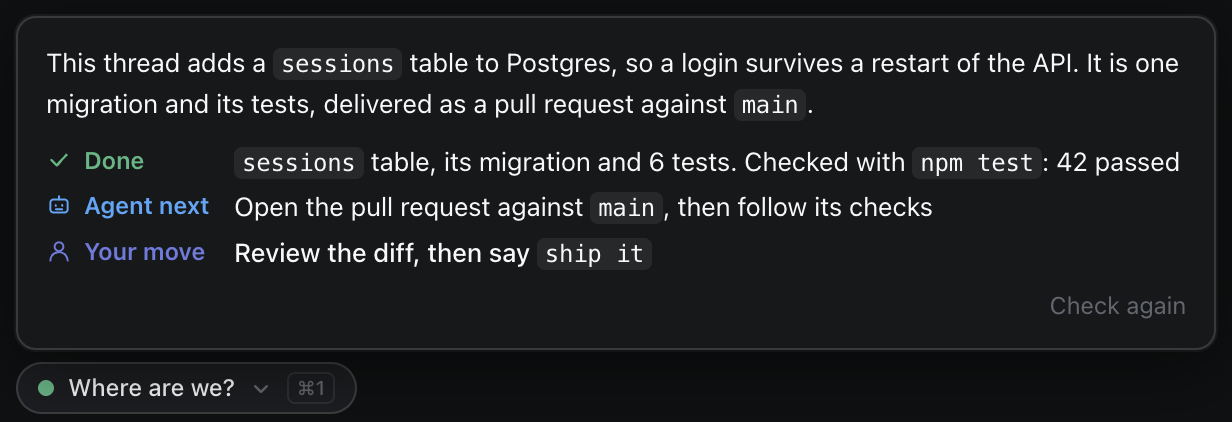
- Where are we? unfolds a status card: done, next, and your move
- Notifications, a dock badge and a sound when a thread stops for you
- ⌘⇧S snoozes the open thread for as long as you pick, ⌘⇧A archives it
- ⌘L quotes what you selected (a reply, a diff, code) in your next message
- Reply buttons above the input: ⌘2–4 send the answers the agent suggests, ⌘1 asks where it stands
- Accept a plan as it is, or with your changes
- Approve Claude's tools one by one, or let the agent run in auto, plan or bypass mode
Ship
One next action. Or none: auto-merge.
The header always shows the single thing to do next. Press it and the agent does the work: write the pull request, fix the failing check, answer the review, resolve the conflict. Or start with Start & merge and skip the pressing.
- Auto-merge: the agent merges once QA, review and checks pass, and stops only when a decision is yours
- Pull request title and description written from the diff
- CI checks and reviews followed for you
- Before merge, the agent reports its tests, QA and code review, each with its proof, on the commit it merges. Finish & merge tells it what is missing first; how each runs stays your repository's own
- A Merge it reply runs Merge; before any code exists, Create PR and Build & merge have the agent build it first
- One-click rebase when the base branch moved
- Merged threads file themselves away once the agent is done and you have handled any follow-ups
Create PR→Fix CI→Address review→Resolve conflicts→Merge
⌘⇧↵ Start & merge walks all five for you
Next task
Agents find the next task. You press Start.
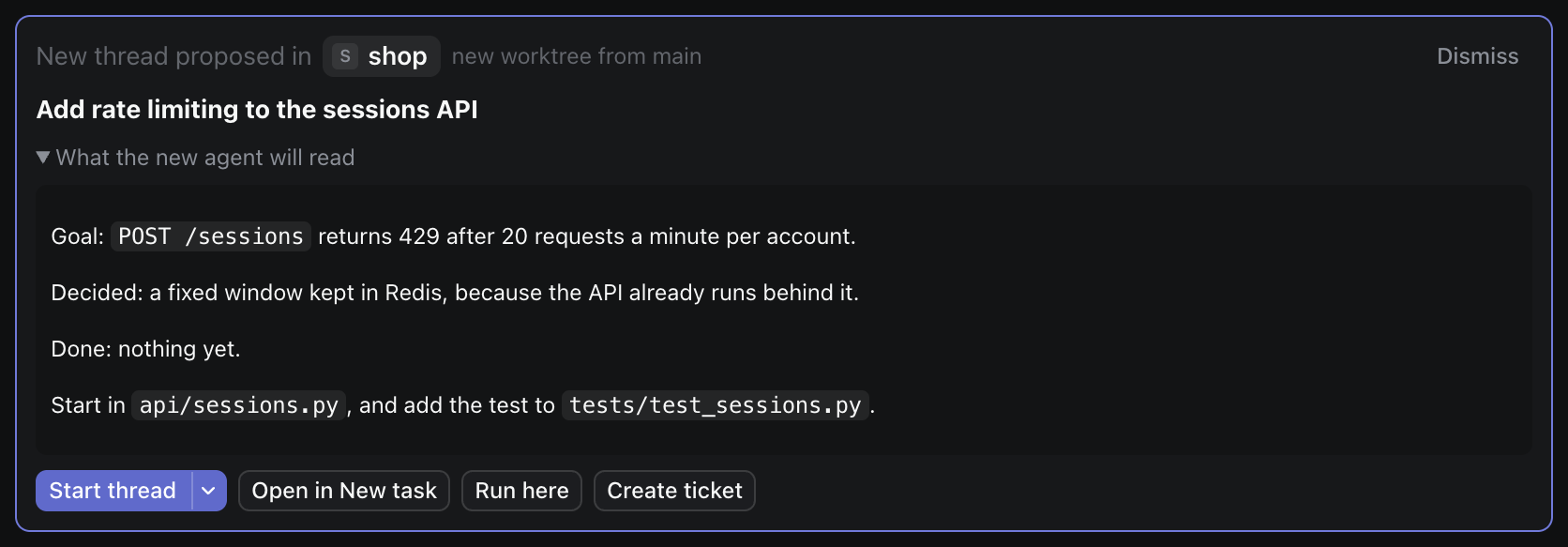
While it works, an agent notices what does not belong in its task: a bug next door, a test that already failed, a follow-up. It proposes a new thread, with the brief already written. Start it now, or keep it as a ticket.
- One click starts it in its own worktree, or runs it here
- Open in New task to choose the model, the account or the access before it starts
- Start & merge takes it all the way without you
- Create ticket: the agent files it in Linear, for later
BrainsBeta
A company brain and a personal brain
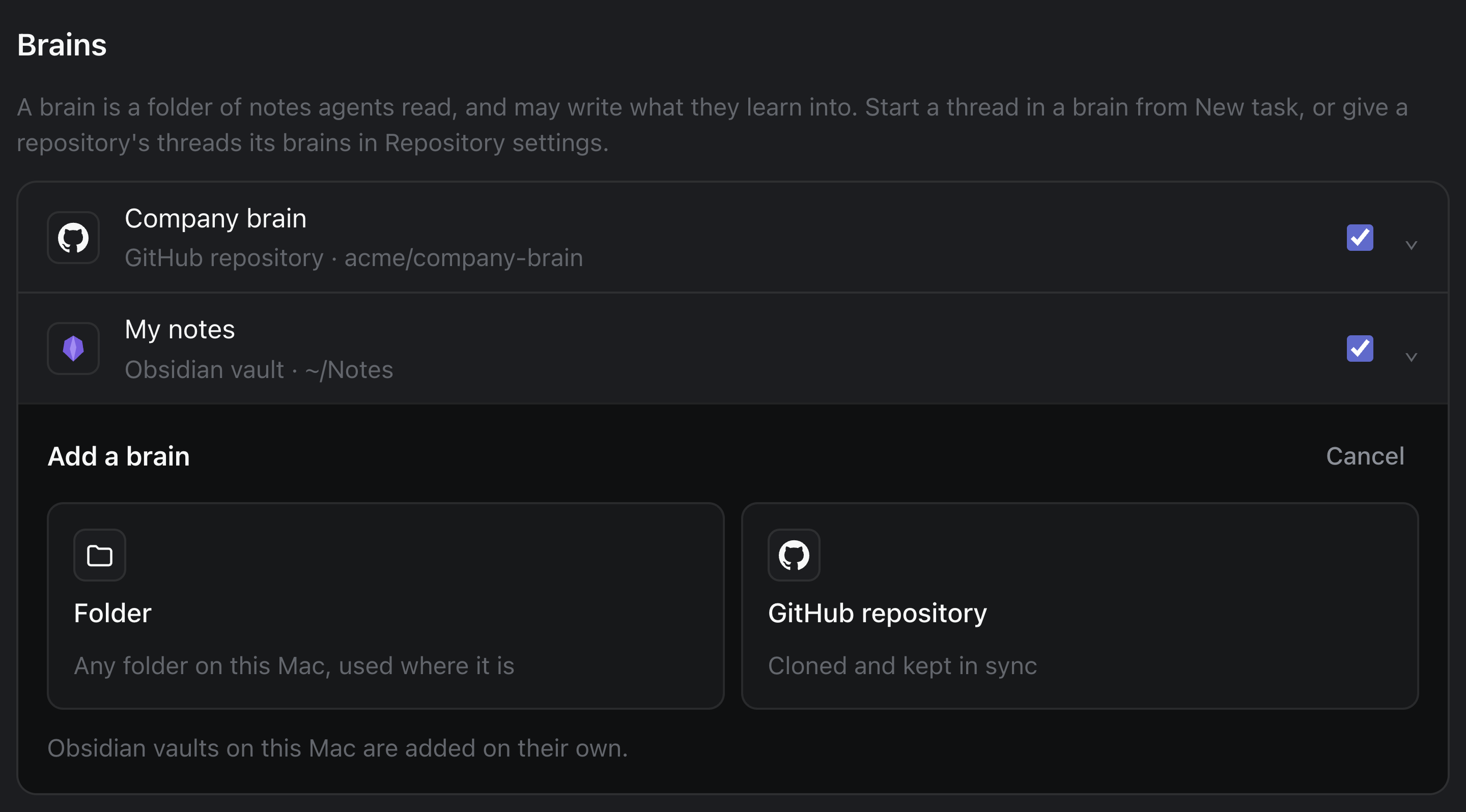
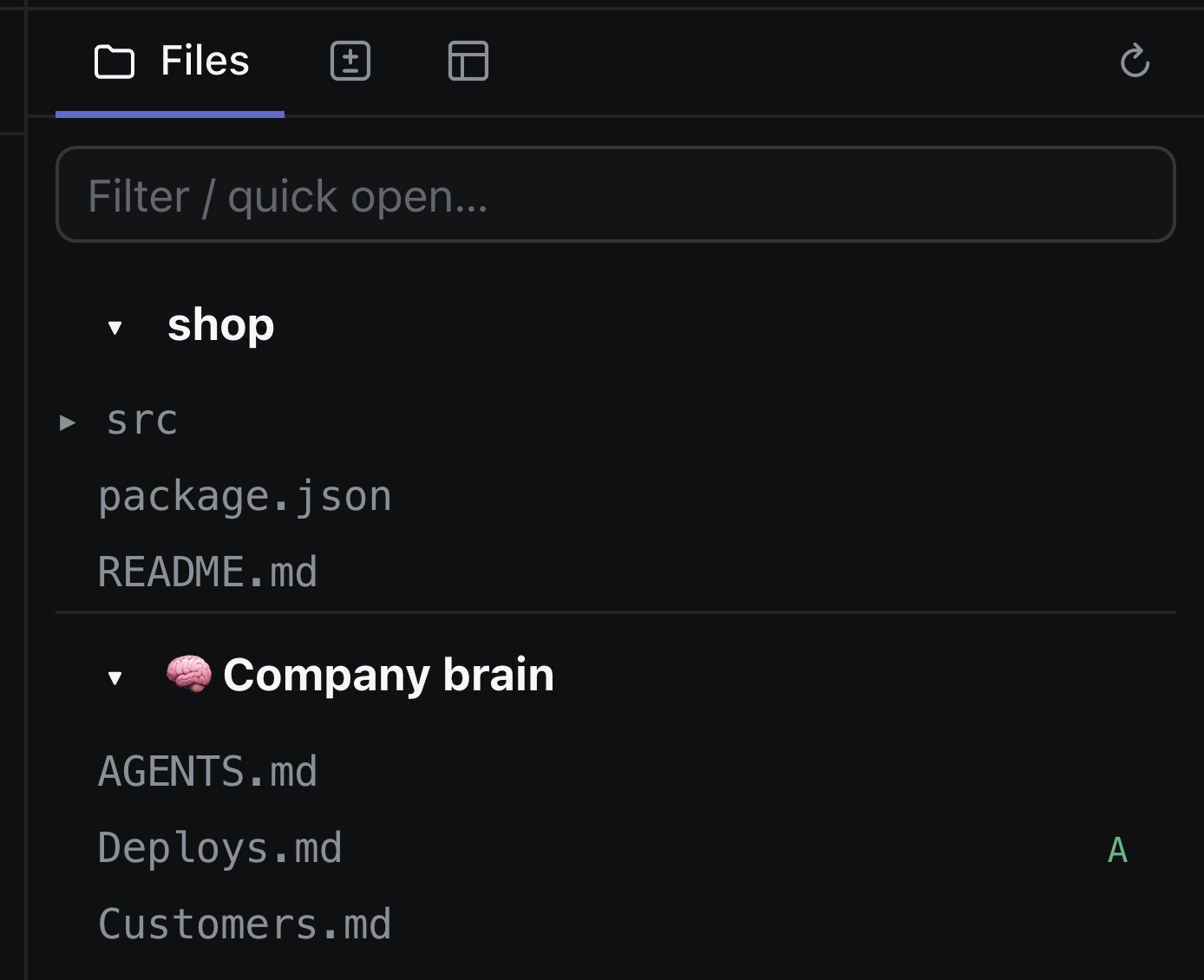
A brain is a folder of notes. Your company brain holds what the team knows; your personal brain, your own notes. Agents read them before they start and, once you let them, write down what they learn.
- Ask a brain a question in a thread of its own
- Set Agents write to As they learn, and coding threads write into the right brain
- Its
AGENTS.mdsays what to keep; every agent reads it first - A brain in Git is committed and pushed for you
- Add a brain: a folder, or a GitHub repository kept in sync; Obsidian vaults are added on their own
Show
Designs you can click, diagrams you can read
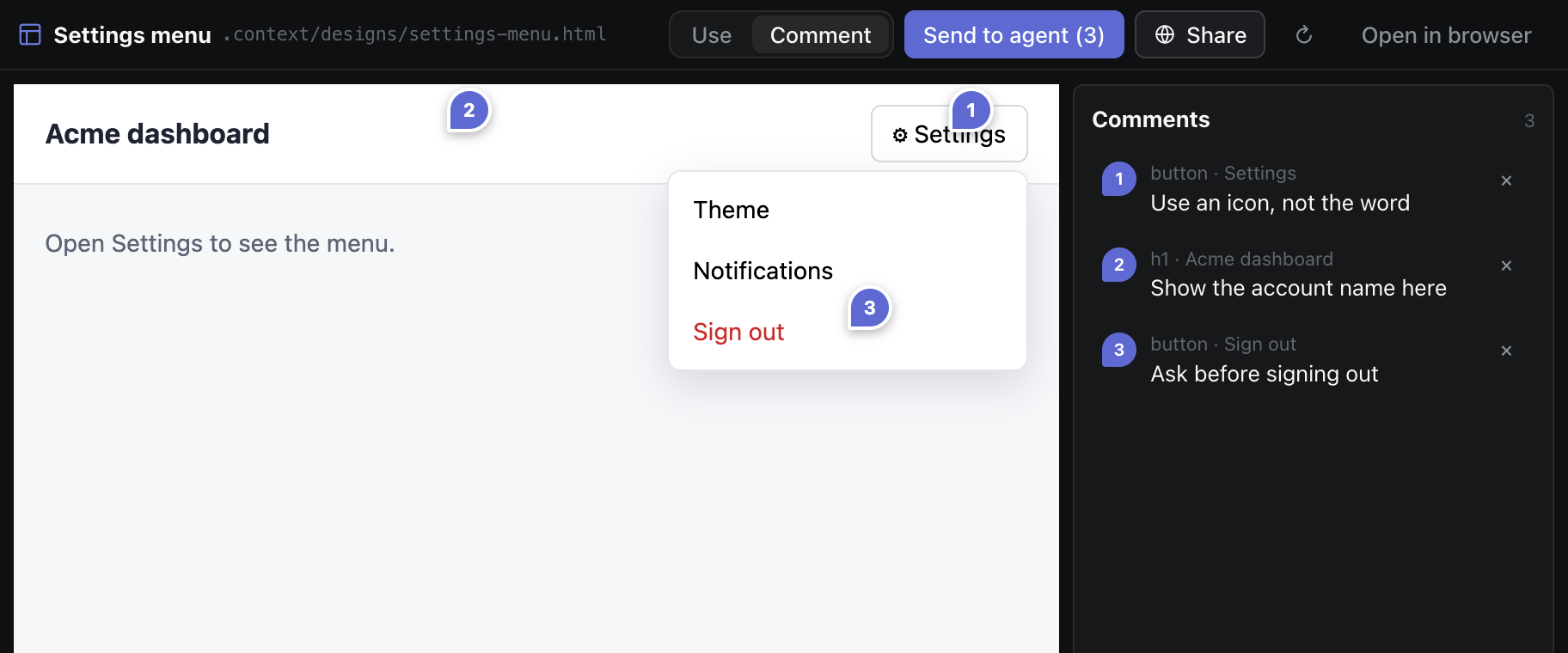
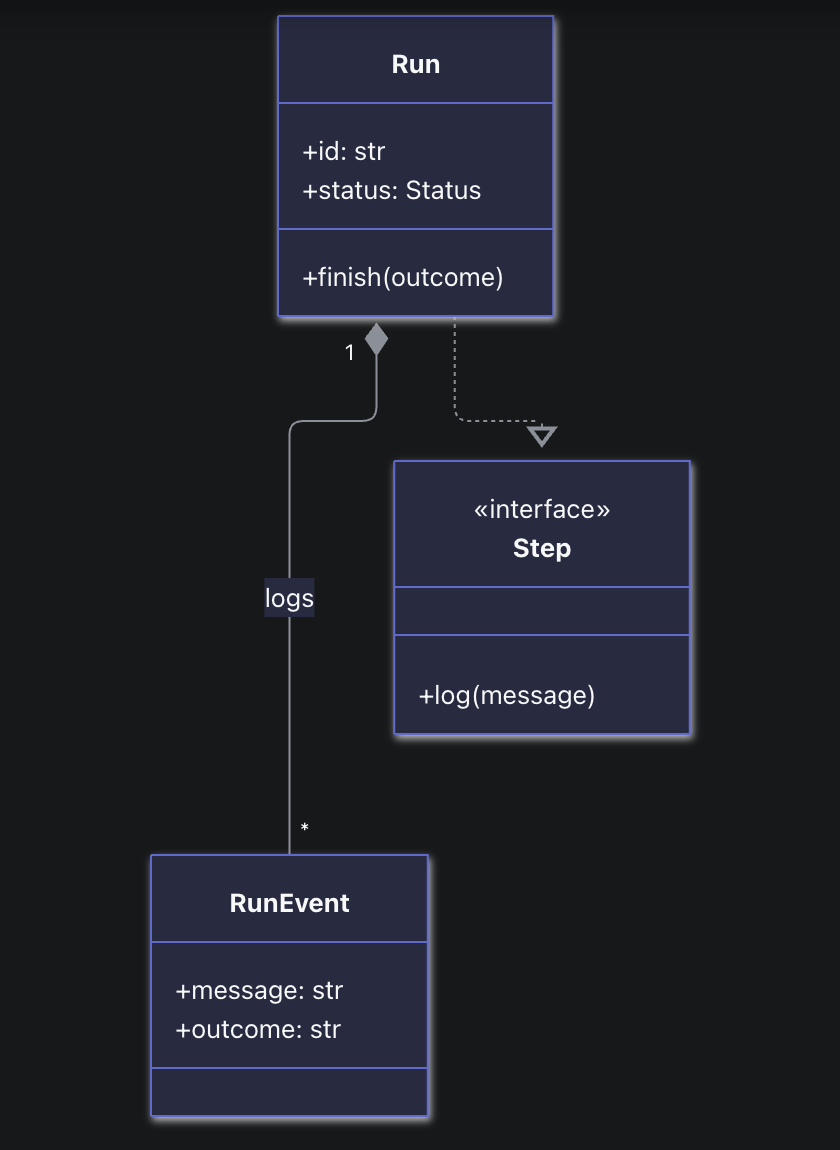
Agents show a new screen as a live mockup before they build it. Pin comments on its parts and send them back in one go. Explanations come with a diagram, drawn in the thread.
- Interactive HTML mockups, drawn live in the chat
- Mermaid diagrams: sequences, flows, classes, components, states, schemas, timelines, git graphs, charts of measured numbers
- Screenshots of the change at the end of the turn
- Share a design by link and collect comments online
Made for many agents at once
Auto picks the account, by usage
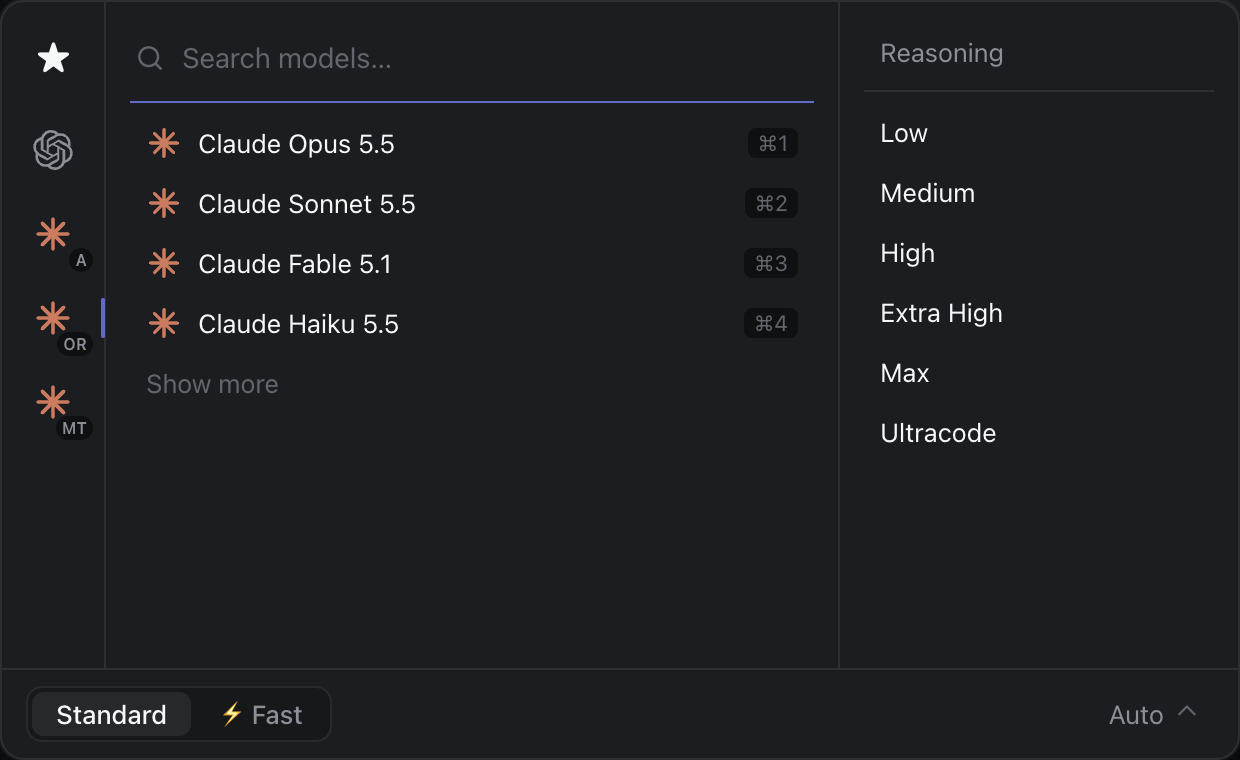
With several Claude accounts, Auto starts each thread on the one with the most left to spend before its reset, and a thread that runs out continues on another in one click. Each account shows its 5-hour and weekly gauge. Provider, model and effort stay yours to choose, per thread.
Threads that wait
Drop a thread on another: it waits in Queued until that one merges or is put away, then its agent is told to rebase and carry on. Agents set these waits themselves: for a fix their merge needs, or a release that needs their merge. Its Linear ticket shows the block too.
Agents drive threads over MCP
An agent can list the other threads, read one, start, message or snooze one, in another repository once you allow it. You approve each start and each message, unless you chose bypass.
Plugins
A plugin is a folder with a manifest and one JavaScript file. It reacts to what threads do and gives every agent standing instructions. Design preview, Diagrams, Keep awake, History and the context ring ship as plugins; the cloud and computer runners as Beta ones. Install community plugins from Settings in a click; none runs until you enable it.
module.exports = (api) => {
  api.on('thread-state', () =>
    console.log(api.workingAgents()))
  api.prompt('session',
    'Always answer in French.')
}
Review the diff, hand a thread to the cloud, statistics, ⌘K search, scripts per repository, Linear and GitHub issues and more.
See every feature →